AQMM V2
AQMM V2 Assessment
Note: Only Partners are authorized to make changes.
Creating AQMM V2
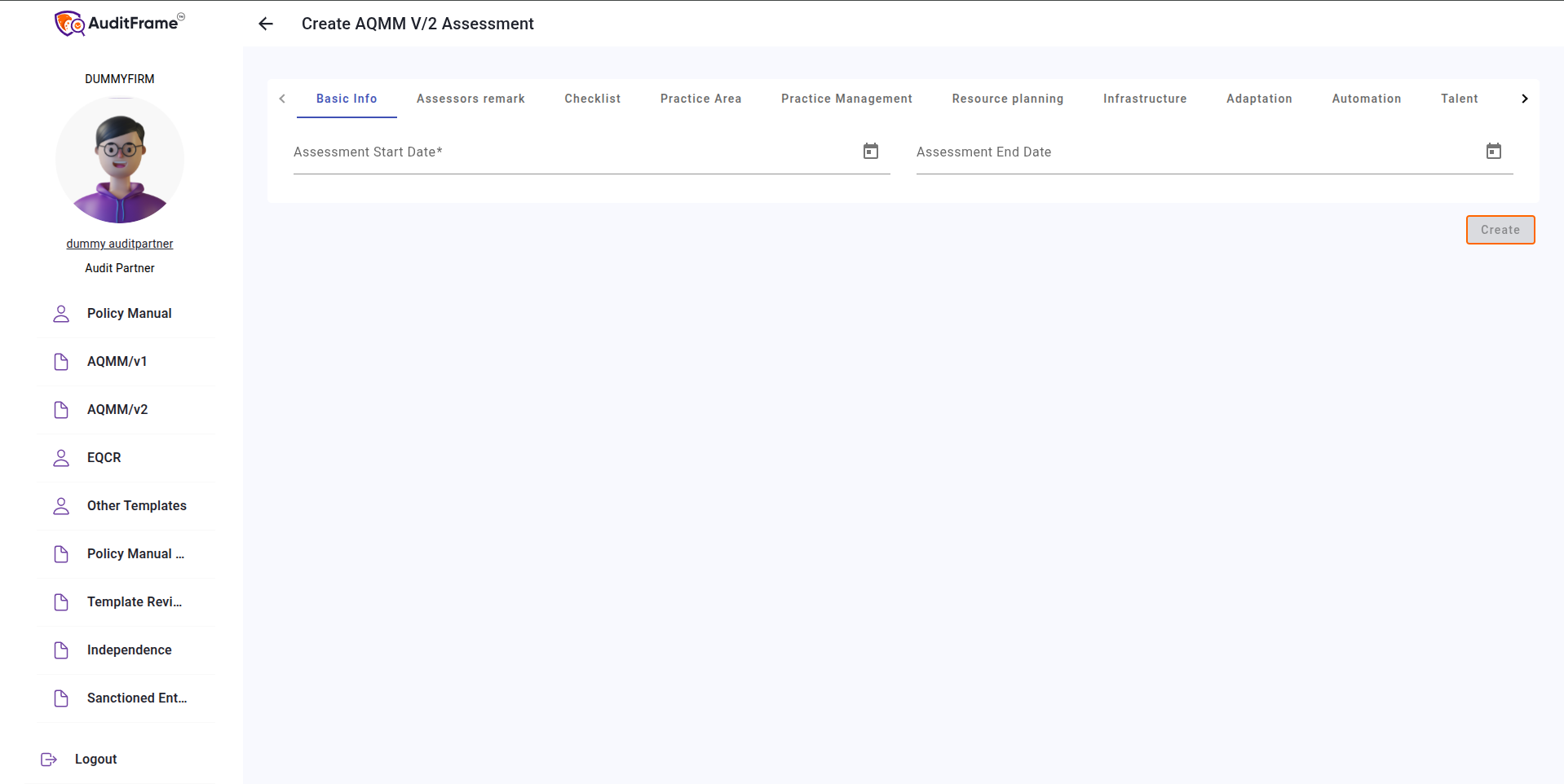
To create a new AQMM, click on New from the list view. Fill in the required fields and click the Create button to complete the process.
Updating Scores After Creation
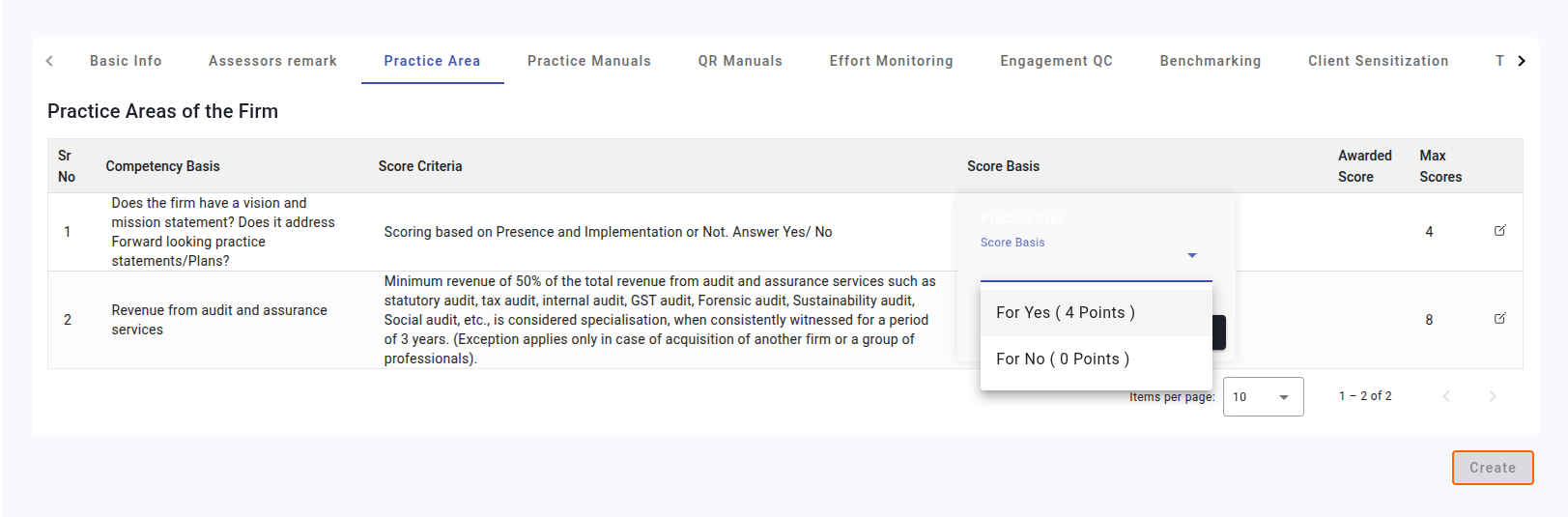
It is recommended to update the score basis after creating the AQMM to avoid losing any progress due to unintended actions.
Scores will be awarded based on the selected score basis. Once scores are updated, the table can be marked as complete using the "Mark As Complete" button.
Note: The score basis can be updated directly in the list view by clicking the score basis for a specific row or by selecting the Edit Row option. AQMM submission is only possible once all tables have been marked as complete.
Summary Overview
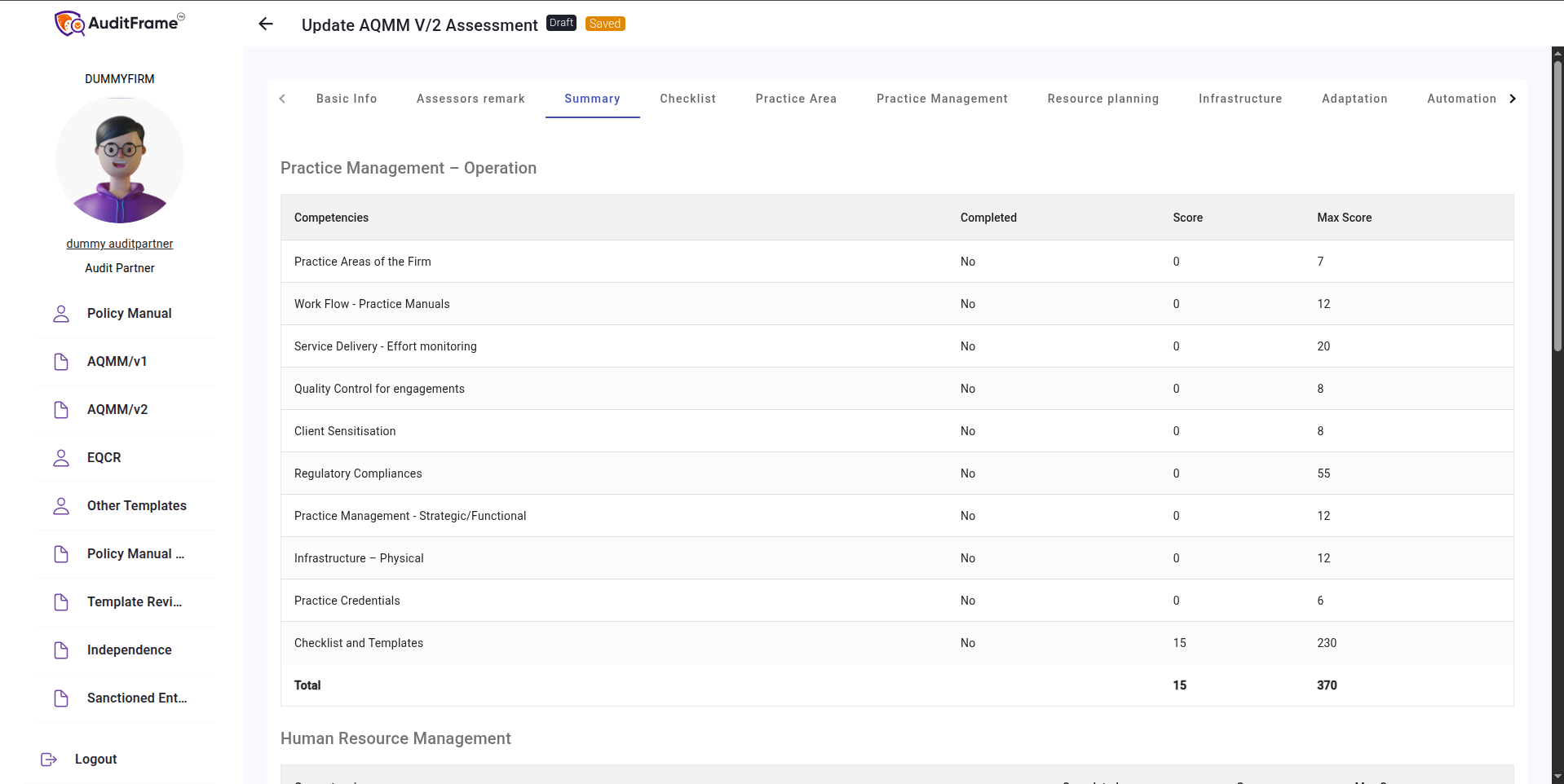
The Summary section provides an overview of all tables, showing whether they are complete, the scores achieved, and the maximum possible scores.
Note: You can update the score basis directly from the list view by clicking the score basis for a specific row or by selecting the Edit Row option.
Exporting AQMM to PDF and Excel
You can export the AQMM data or generate a PDF by using the Export and PDF buttons provided.
Note: PDF generation may take a few seconds, so please be patient.
Errors You May Get
| Error Message | Remedial Action |
|---|---|
| The AQMM/v2 assessment can be closed only if all tables are marked as complete | Ensure that all tables in the assessment are marked as complete before closing. |
| Assesment end date is mandatory while submitting | Fill in the assessment end date before attempting to submit. |
| Start Date should be before End Date | Make sure the start date is earlier than the end date. |
| Table cannot be marked as complete if awarded score is blank in any row of the table | Select scores for all rows before marking the table as complete. |