PDF Template AR
PDF Templates AR
This module allows you to create and manage dynamic layouts for PDF generation. These templates can include placeholders that are automatically replaced with actual data when the document is generated.
| Feature / Field | Audit Manager | Audit Partner | Audit Staff | Notes |
|---|---|---|---|---|
| All Fields | Enabled | Enabled | Disabled | Form Disabled For Audit Staff and Peer Guest |
Template Instructions
Follow these rules when designing your template to ensure dynamic data renders correctly:
- Use the editor to properly add content with formatting and styling.
-
Use
{{variable_name}}for dynamic values. Replacevariable_namewith the appropriate placeholder name. -
Note:
variable_namecannot contain spaces or special characters. -
If a variable name ends with
_DATE, it will be treated as a Date field. -
If a variable name ends with
_TABLE, it will be treated as a TABLE. -
If a variable name ends with
_BLANK, it will be treated as a Select field with option ['Standalone', 'Consolidated', 'Blank']. -
If a variable name ends with
_PARA, it will be treated as a Text Editor field.
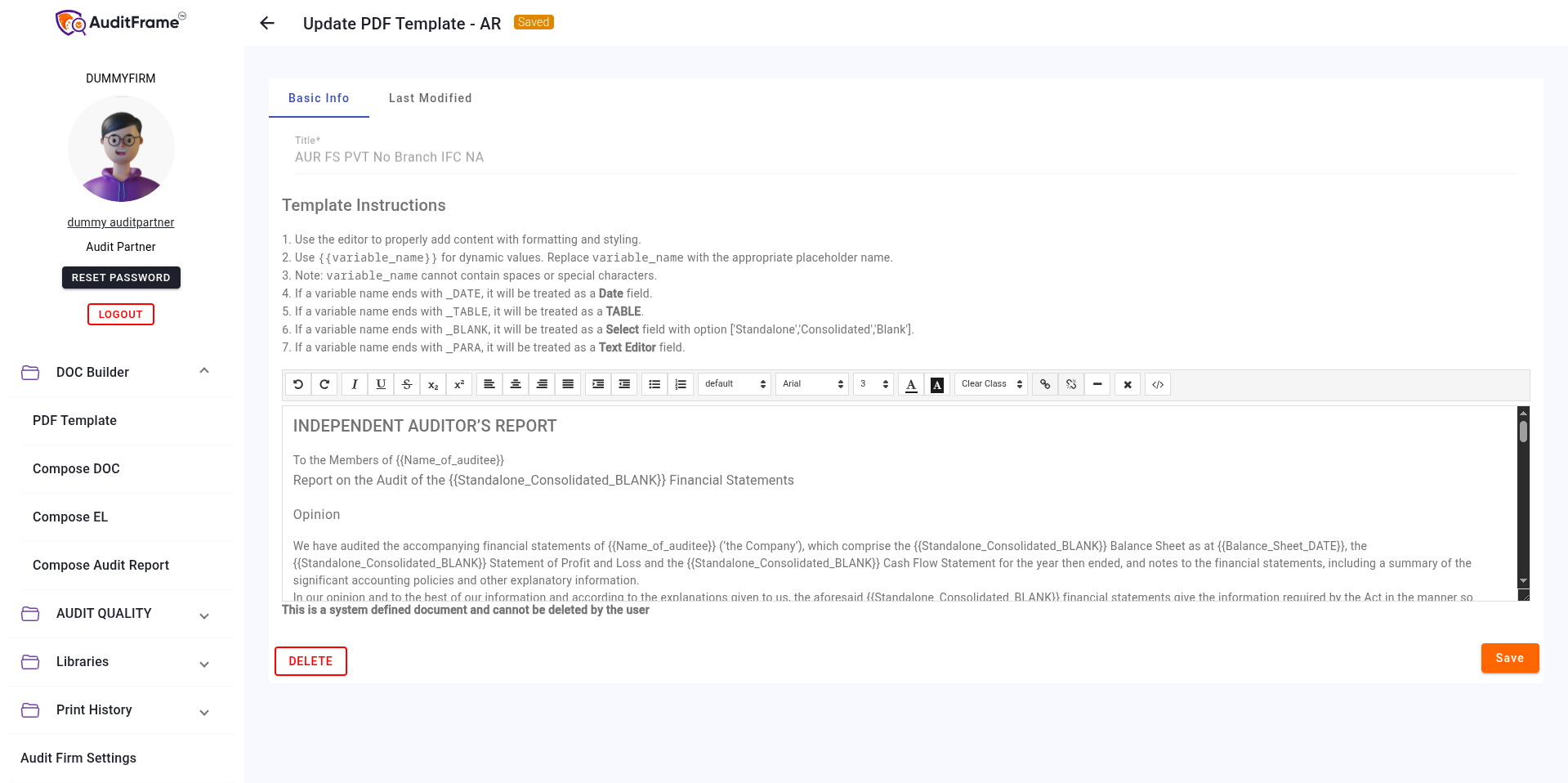
System Defined Templates
Some templates are marked as System Defined. These are built-in templates required for core system functionality.
- System defined templates cannot be deleted by the user.
- They ensure that essential reporting formats remain available.
Possible Error Messages and Remedies
| Error Message | Remedial Action |
|---|---|
| PDF Template AR Title should be unique. | The title you entered already exists for another template. Please choose a unique title. |
| Cannot delete or cancel because PDF Template AR is linked with Other Template [Title] | This PDF template AR is currently being used inside an "Other Template". You must unlink or remove the reference in the "Other Template" module before deleting this one. |
| This is a system defined document and cannot be deleted by the user | You are trying to delete a core system template. This action is restricted to prevent system errors. |