AS Compliance
AS Compliance
This module allows you to maintain records related to AS compliance requirements.
Basic Info Permissions
| Feature / Field | Audit Manager | Audit Partner | Audit Staff | Notes |
|---|---|---|---|---|
| Audit Firm | Disabled (Read-Only) | Disabled (Read-Only) | Disabled (Read-Only) | |
| Audit File | Disabled (Read-Only) | Disabled (Read-Only) | Disabled (Read-Only) | |
| Client | Disabled (Read-Only) | Disabled (Read-Only) | Disabled (Read-Only) | |
| Audit Type | Disabled (Read-Only) | Disabled (Read-Only) | Disabled (Read-Only) | |
| Audit Period From | Disabled (Read-Only) | Disabled (Read-Only) | Disabled (Read-Only) | |
| Audit Period To | Disabled (Read-Only) | Disabled (Read-Only) | Disabled (Read-Only) | |
| Preparer | Enabled | Enabled | Disabled (Read-Only) | |
| Reviewer | Enabled | Enabled | Disabled (Read-Only) |
AS Requirements
Here you can add individual AS requirements.
Note:
- The Add Default Row button is available only when the table is empty.
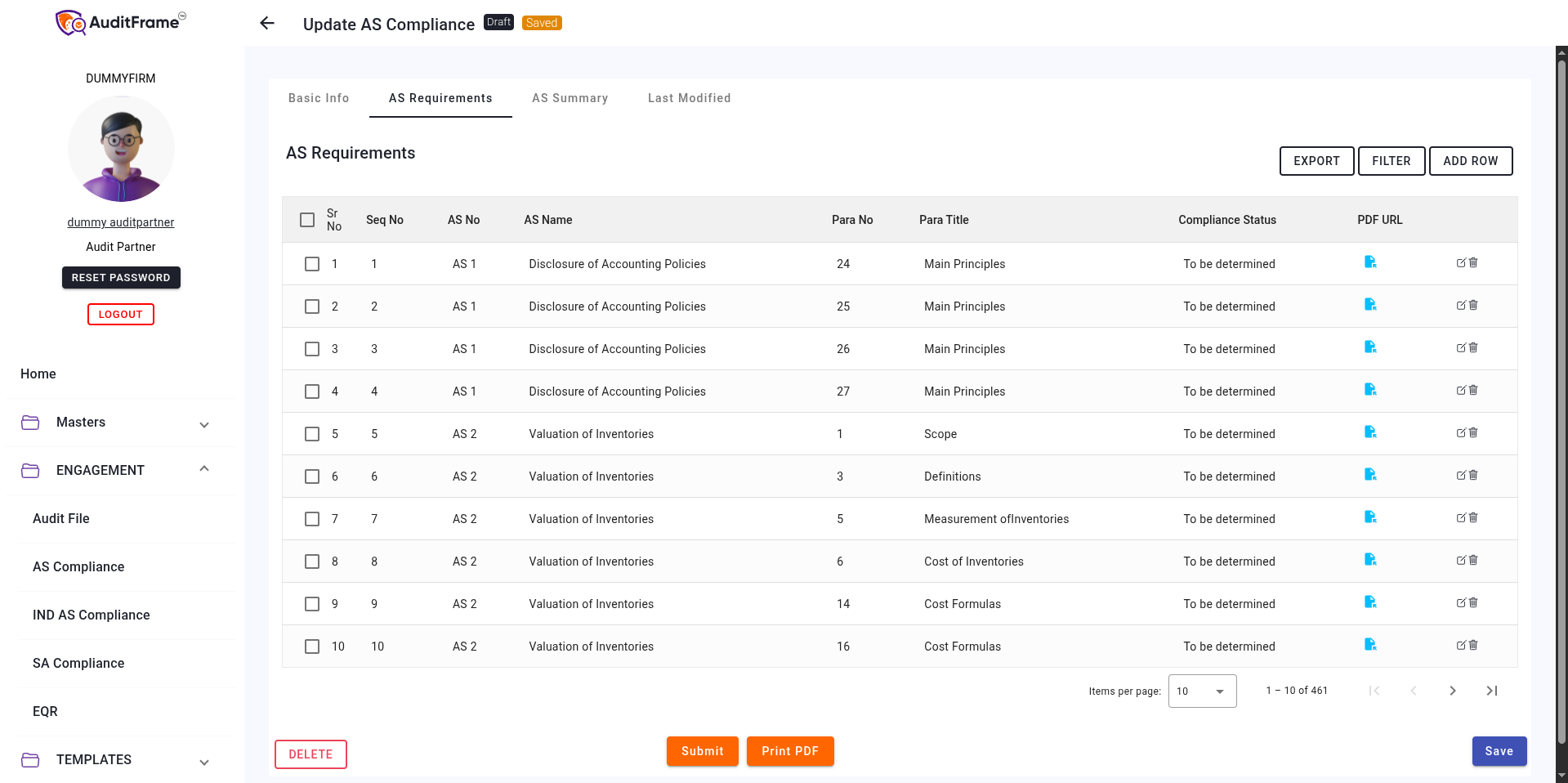
Requirements Table Permissions
| Feature / Field | Audit Manager | Audit Partner | Audit Staff | Notes |
|---|---|---|---|---|
| AS Requirements Mark FC Button | Visible | Visible | Hidden | |
| AS Requirements Mark NA Button | Visible | Visible | Hidden | |
| AS Requirements Unmark Button | Visible | Visible | Hidden | |
| AS Requirements Bulk Delete Button | Visible | Visible | Hidden | |
| AS Requirements Add Default Rows Button | Visible | Visible | Hidden | Only Visible if Table is Empty |
| AS Requirements Add Row Button | Visible | Visible | Hidden | |
| AS Requirements Select All Checkbox | Enabled | Enabled | Enabled | |
| AS Requirements Select Row Checkbox | Enabled | Enabled | Enabled | |
| AS Requirements Compliance Status Popup | Visible | Visible | Hidden | |
| AS Requirements Edit Row Button | Visible | Visible | Hidden | |
| AS Requirements Delete Row Button | Visible | Visible | Hidden |
AS Summary
The AS Summary section is automatically populated based on the AS Requirements entered.
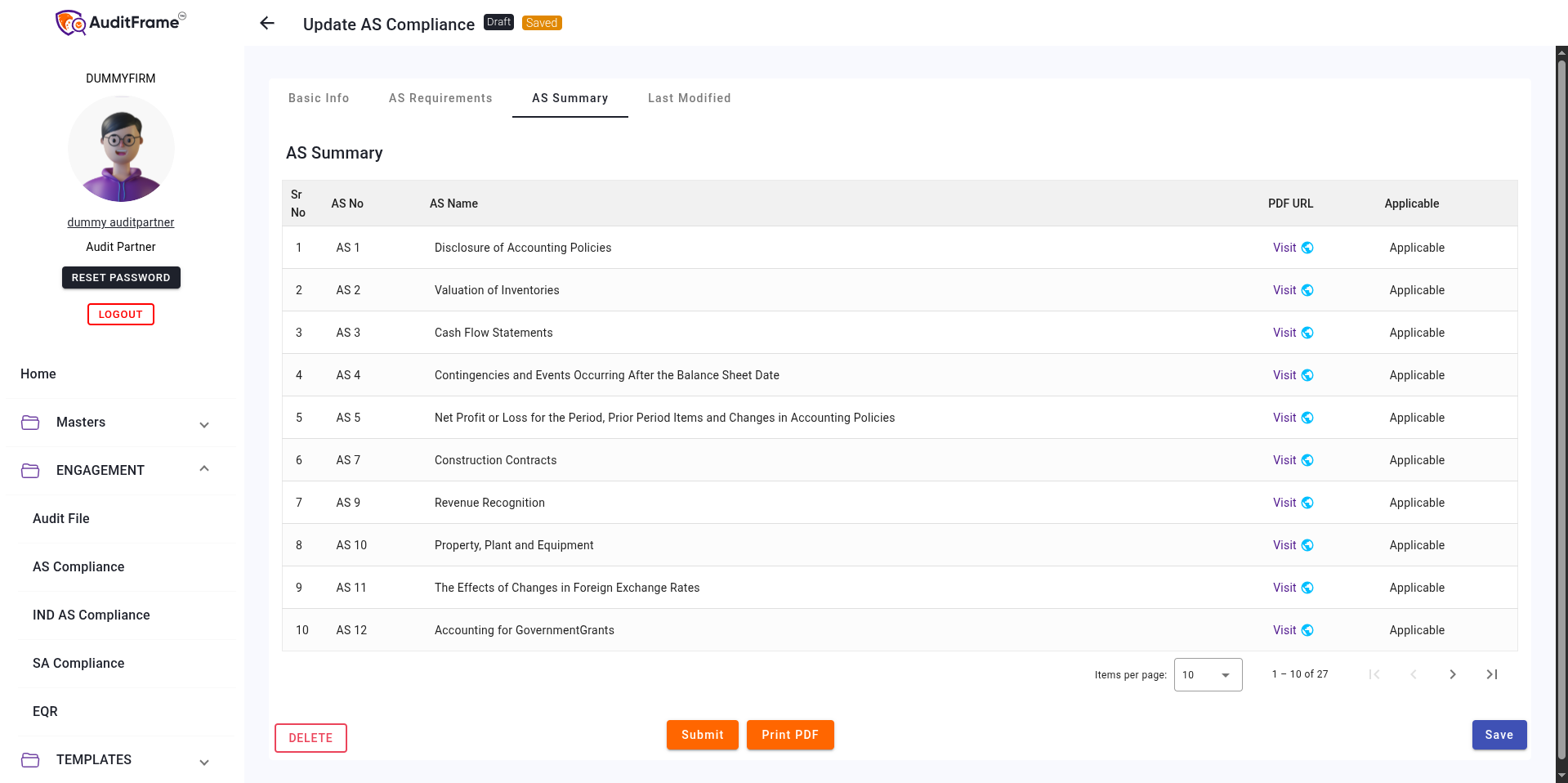
Possible Error Messages and Remedies
| Error Message | Remedial Action |
|---|---|
| Please fill AS Requirement before submitting | Ensure that at least one requirement is added in the Requirements table. |
| AS Compliance has already been created for the selected audit file. Reference Name | Use the existing AS Compliance for that audit file, or select a different audit file. |
| Preparer and reviewer cannot be same | Select different users for the preparer and reviewer roles; they cannot be the same person. |
Global Actions & Document Operations
Permissions regarding the overall management of the AS Compliance document.
| Feature / Field | Audit Manager | Audit Partner | Audit Staff | Notes |
|---|---|---|---|---|
| AS Compliance Delete Button | Visible | Visible | Hidden | |
| AS Compliance Submit Button | Hidden | Visible | Hidden | Only user in Reviewer Field can submit |
| AS Compliance Print PDF | Visible | Visible | Visible | |
| AS Compliance Save Button | Visible | Visible | Hidden |